
One connected picture from files, tools, and agents.
Pyctura turns scattered spreadsheets, Jira exports, Google Drive folders, Notion pages, and business files into dashboards, timelines, KPIs, executive reports, and reusable Brain context. Start with uploads today, connect sources next, and let agents keep reports current over time.
Join BetaReports, timelines, and Brain context from connected work.
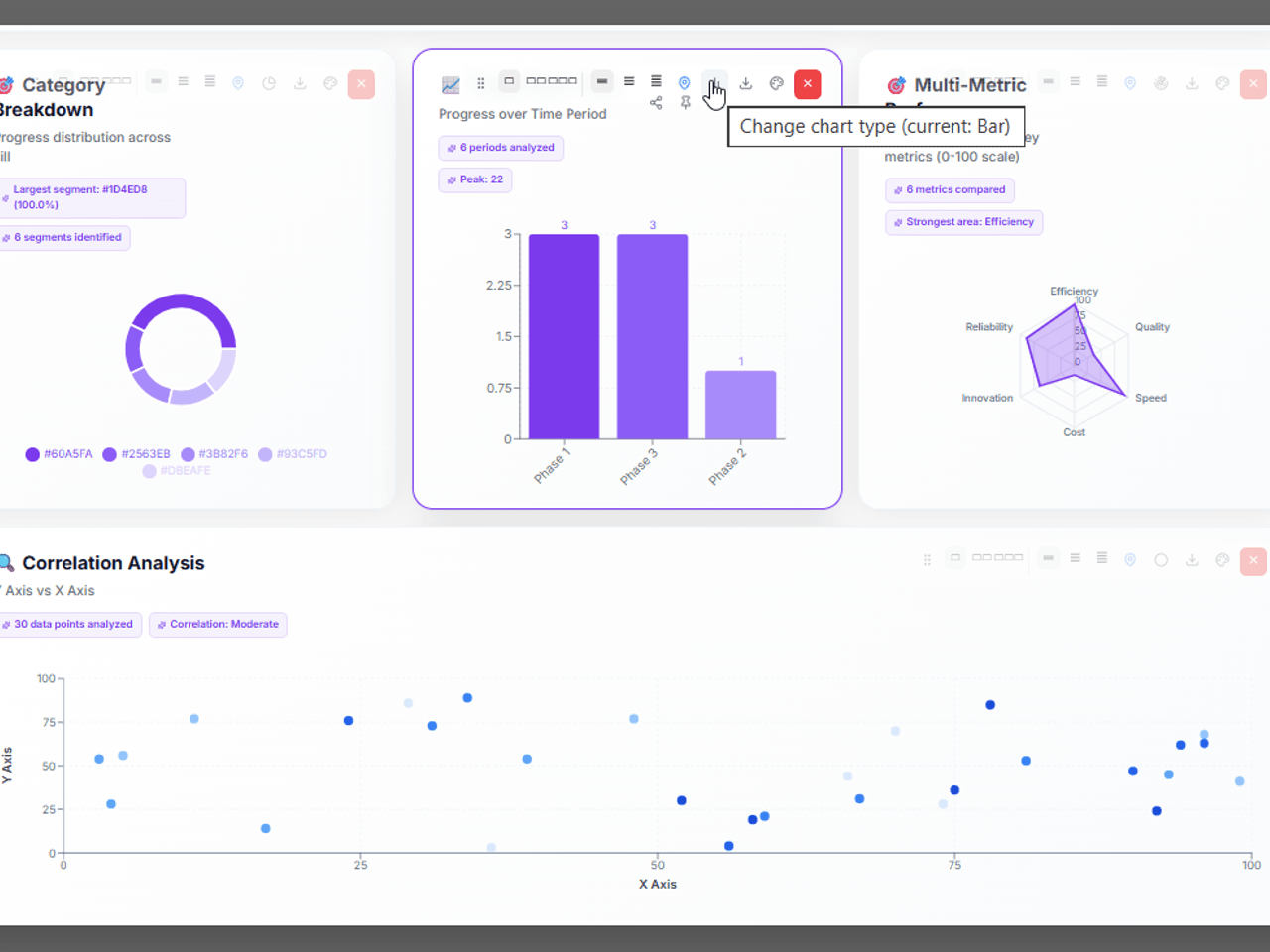
Edit it yourself — or let agents keep it current.
Every chart stays editable by humans, but Pyctura is built for agent-assisted reporting too. Agents can refresh report data, update narratives, surface changes, and suggest chart improvements as connected sources evolve.
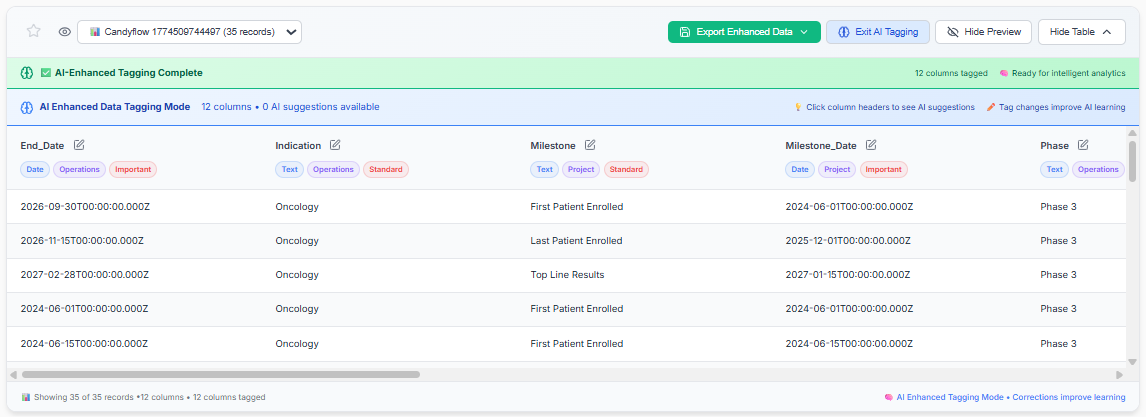
Your data tells Pyctura what it means.
Every Pyctura upload runs through AI column intelligence — data types, business domains, priority signals, all detected automatically. Correct anything. The more you use it, the sharper it gets.
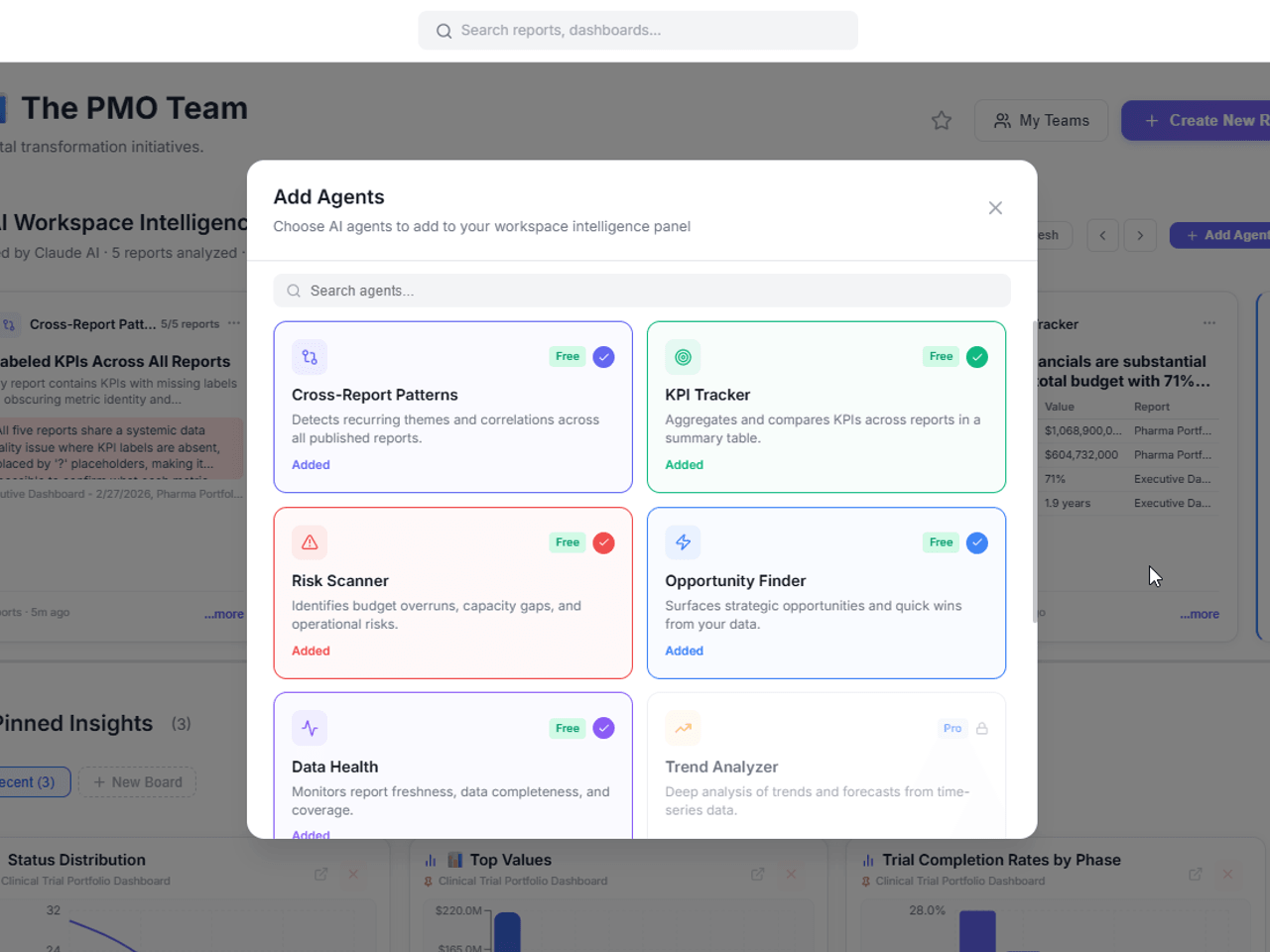
Agents that monitor, refresh, and explain the work.
Pyctura agents are designed to work across your connected sources — starting with files and expanding to Google Drive, Notion, Jira, and MCP-ready tools. They can detect changes, refresh reports, update narratives, and keep your Brain context current.
- Monitor connected sources for changes and stale reports
- Refresh dashboards, timelines, and summaries when data changes
- Capture findings, decisions, and report context into the Brain
A shared reporting layer for every team.
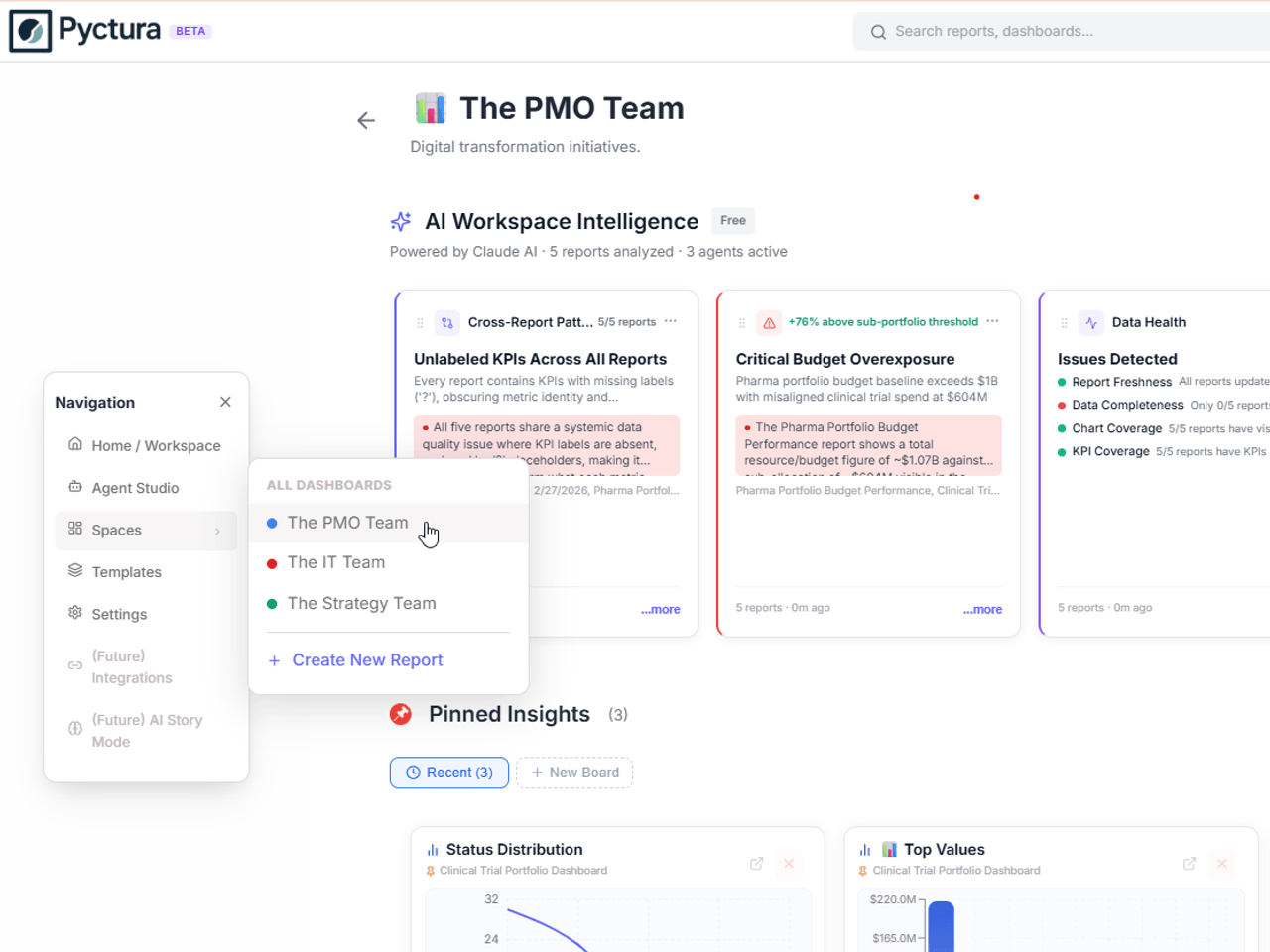
Spaces organize reports, dashboards, sources, Brain context, and agent-updated findings by team, project, client, or portfolio. Teams get a structured view without forcing every workstream into one system first.
- Reports, sources, and Brain context organized by team or project
- Role-based access — Creator, Contributor, Viewer
- Share human-created or agent-refreshed reports with stakeholders
Start with uploads today. As connectors come online, Pyctura is designed to work across the places your operational data already lives.
Ready to see what your data looks like?
Join the beta. Free to start. No credit card required.
Join Beta