
From scattered files to one clear story
Connect your data sources. Pyctura assembles the narrative.
Built for real reporting moments
From weekly syncs to board decks, Pyctura adapts to the reporting moments your team already has.
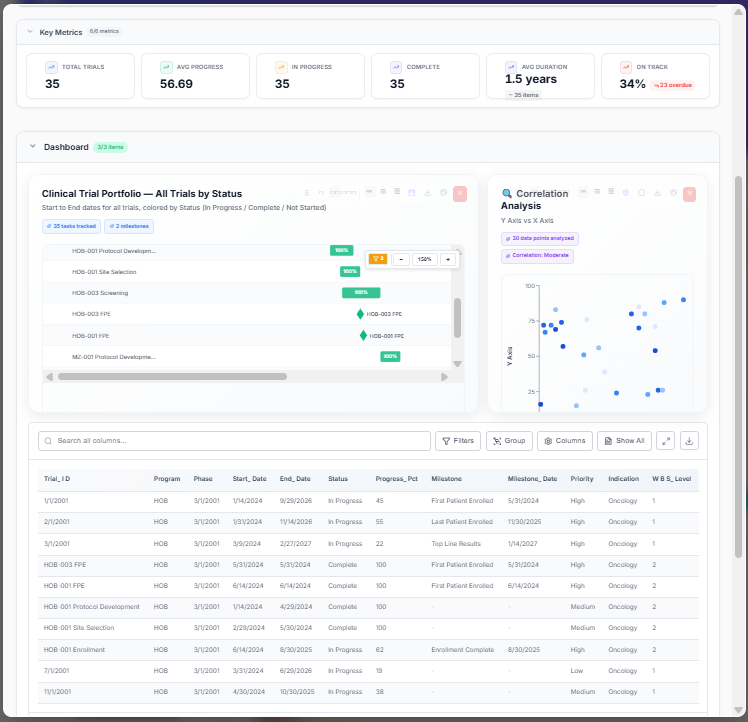
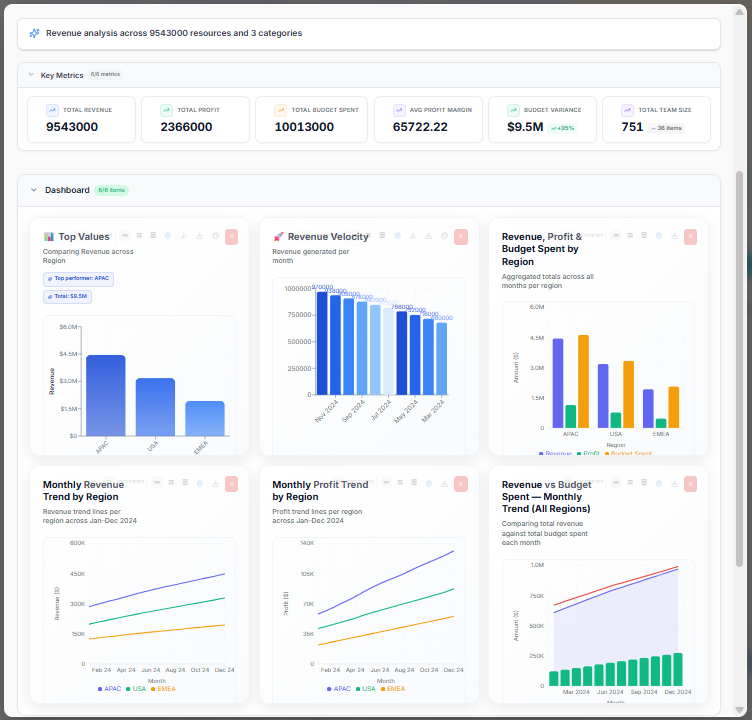
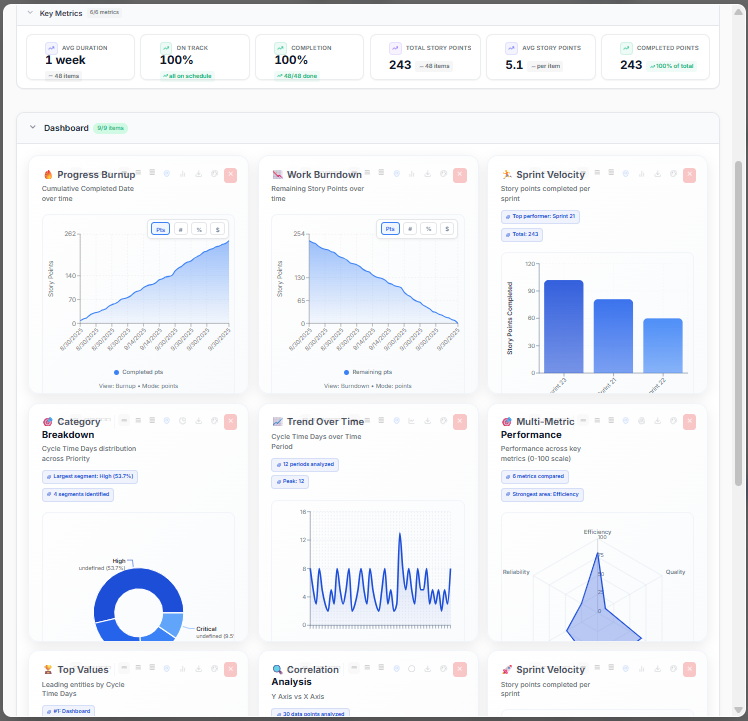
Pyctura reporting, reimagined
We believe data should be seen, not just read. In Pyctura, every report is a canvas where clarity meets craft.
Ask a question. Analyze everything at once.
Select multiple reports and ask Pyctura's AI anything across all of them. Deep Analysis, cross-report comparison, What-If scenarios, outcome planning — all from a single prompt. Your entire data library becomes one intelligent source of truth.
- Deep analysis across multiple reports
- Compare, What-If, and Scenario modeling
- AI prompt bar — ask in plain English
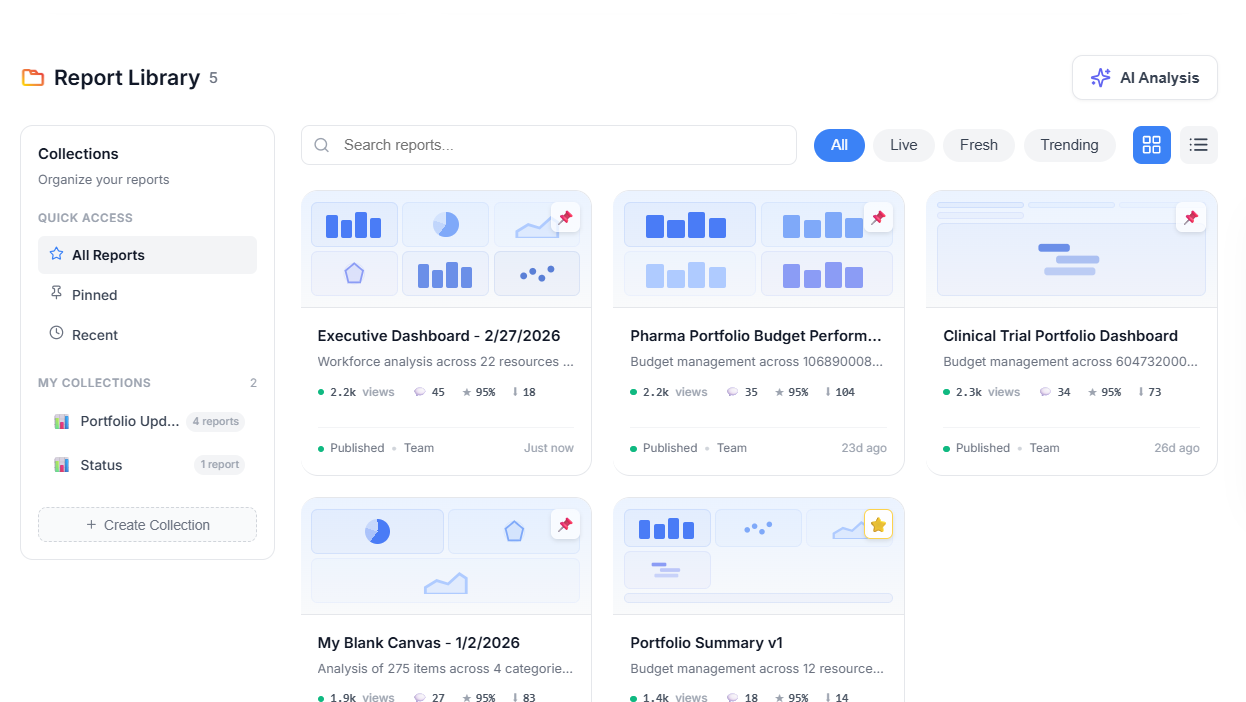
Your entire report library
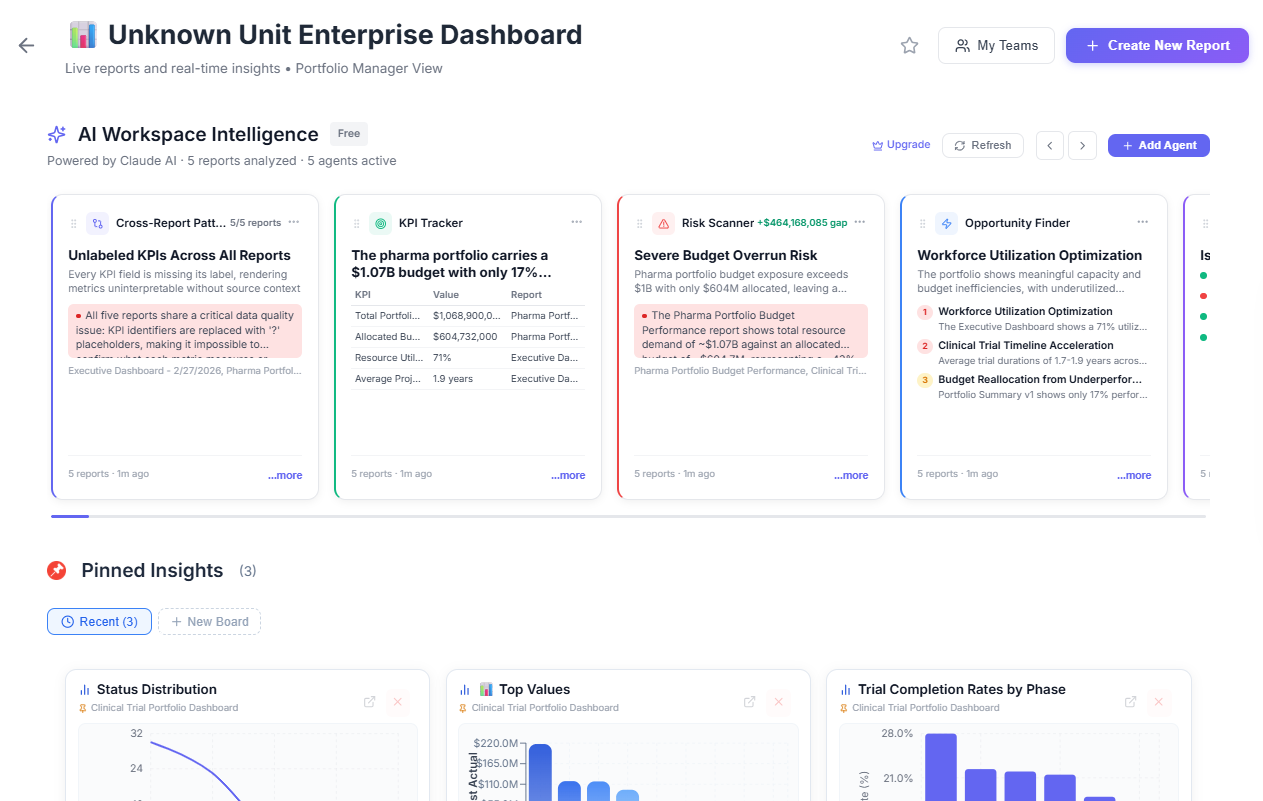
AI agents working across your reports
You don't need a data team. You have one.
Pyctura's AI agents give non-technical people the analytical superpowers that used to require a team of analysts. Anomalies surface themselves. Reports write themselves. Patterns you would have missed become decisions you can make — right now, inside Pyctura.
- Anomalies and changes surface automatically
- Deep analysis without writing a single formula
- From raw data to business insight in seconds
One canvas. Every team. All your data.
Pyctura Spaces organise your reports, dashboards, and insights by team, project, or client. Share a Space with a colleague and they see exactly what they need — nothing more. Your data, structured the way your business actually works.
- Reports organised by team or project
- Role-based access — Creator, Contributor, Viewer
- Share a link. Anyone can view.
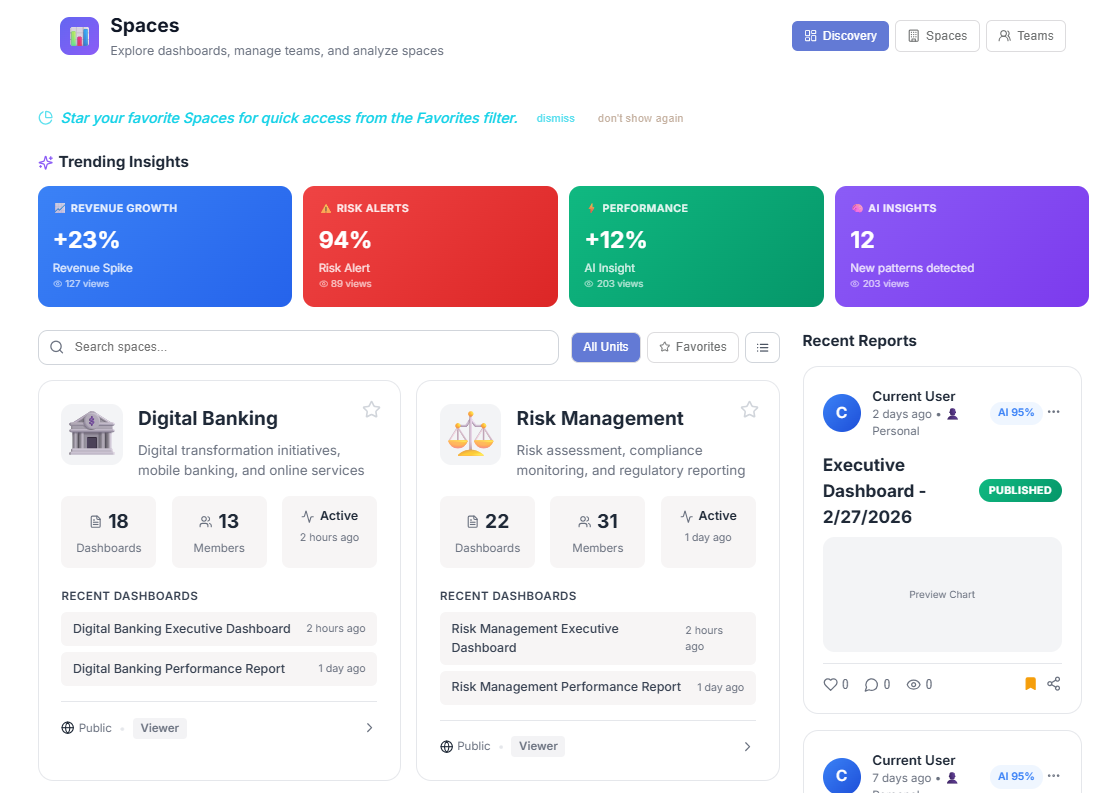
Spaces — organised by team, project, or client
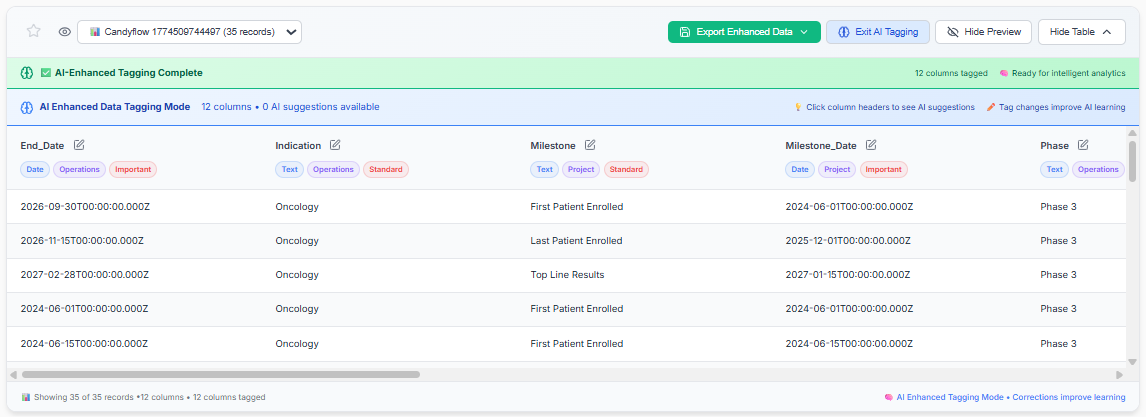
Your data tells Pyctura what it means.
Every Pyctura upload runs through AI column intelligence — data types, business domains, priority signals, all detected automatically. Correct anything. The more you use it, the sharper it gets.
FAQ
Practical questions about Pyctura, AI reporting, Brain, and agents.
Pyctura is an AI reporting platform for turning raw business data into decision-ready reports. These answers cover what it does today, where it fits, and where the product is heading.
What is Pyctura?+
Pyctura is an AI reporting platform that turns raw data files into dashboards, timelines, KPIs, and executive summaries without manual BI setup.
What can I upload?+
Pyctura supports common business data files including CSV, XLSX, XLS, JSON, TSV, and TXT during open beta.
What does Pyctura create from my file?+
Pyctura can generate KPI cards, charts, Gantt-style timelines, burnup and burndown views, tables, executive summaries, and AI-written insights based on the structure of your data.
Do I need to clean or model the data first?+
Usually no. Pyctura uses AI Column Intelligence to detect dates, measures, categories, schedule fields, progress fields, and business context. You can still review and adjust the results.
Is Pyctura a replacement for Power BI or Tableau?+
Pyctura is best used when you need fast, AI-assisted reporting from files without building a full BI model. Traditional BI tools remain useful for large governed semantic layers and warehouse-driven reporting.
Can Pyctura analyze multiple reports together?+
Pyctura is designed to support cross-report analysis so teams can compare reports, spot patterns, and ask questions across uploaded data instead of treating every file as isolated.
What is Pyctura Brain?+
Pyctura Brain is the product direction for persistent context across reports, columns, corrections, insights, and decisions. The goal is to make future reports smarter by remembering what your organization already clarified.
Can agents use Pyctura?+
Pyctura is being designed to become agent-accessible through APIs and future MCP-style workflows, so AI agents can create, query, update, and share reports with human oversight.
Does Pyctura train public AI models on my data?+
No. Pyctura states that it does not train public AI models on customer data. See the Trust, Privacy, and Data Rights pages for current details.
Is Pyctura free?+
Pyctura is currently in open beta with a free plan available. Pricing and packaging may change after beta.
Your team already has the data. Pyctura turns it into momentum.
Join teams who spend less time building reports and more time acting on insights.
Beta opens July 1
Join the Pyctura beta
Get early access to AI-native reporting that turns spreadsheets, Jira exports, and business files into dashboards, timelines, KPIs, and executive summaries.
No spam. Beta access updates only. Unsubscribe any time.
About
Pyctura means painting. We thought that was the right word for what we're building — a tool that takes raw, messy spreadsheets and turns them into something worth looking at.
We built Pyctura for everyone who ever had to apologize for an ugly chart. The project manager, the biotech analyst, the founder with a board meeting on Friday. Drop a file. Get something beautiful.
Careers
We're a very small team. We like it that way.
We're building something we genuinely believe in — and we'll need great people to build it with. Roles coming soon. If you think you belong here before we post anything, we'd love to hear from you.
Contact
For product questions and support:
support@pyctura.ai
For press and partnership inquiries:
hello@pyctura.ai